
Profiles, neatly together
Add links, subscriptions, QR codes and configuration files. Up to 500 profiles, with subscription servers kept in their own groups.
Your country. Your freedom.
Proxy, VPN and Tor in one app. Your servers, a clear route and a backup when a server goes down.
Intourist brings your connections together. Add a link or key, choose a mode and see which profile your connection uses.
No jumping between clients. Backup profiles, built-in Tor and diagnostics are all within reach.
Connect your server and set the local proxy address in your browser or app. Add a second profile as a backup.
For apps that use a proxy. System proxy configuration is also available.
Add profiles, set their order or let Intourist choose a fast server. If the active one becomes unavailable, it looks for a working backup.
This example uses server order and a request assigned to the proxy. It goes through the primary profile while the backup waits.
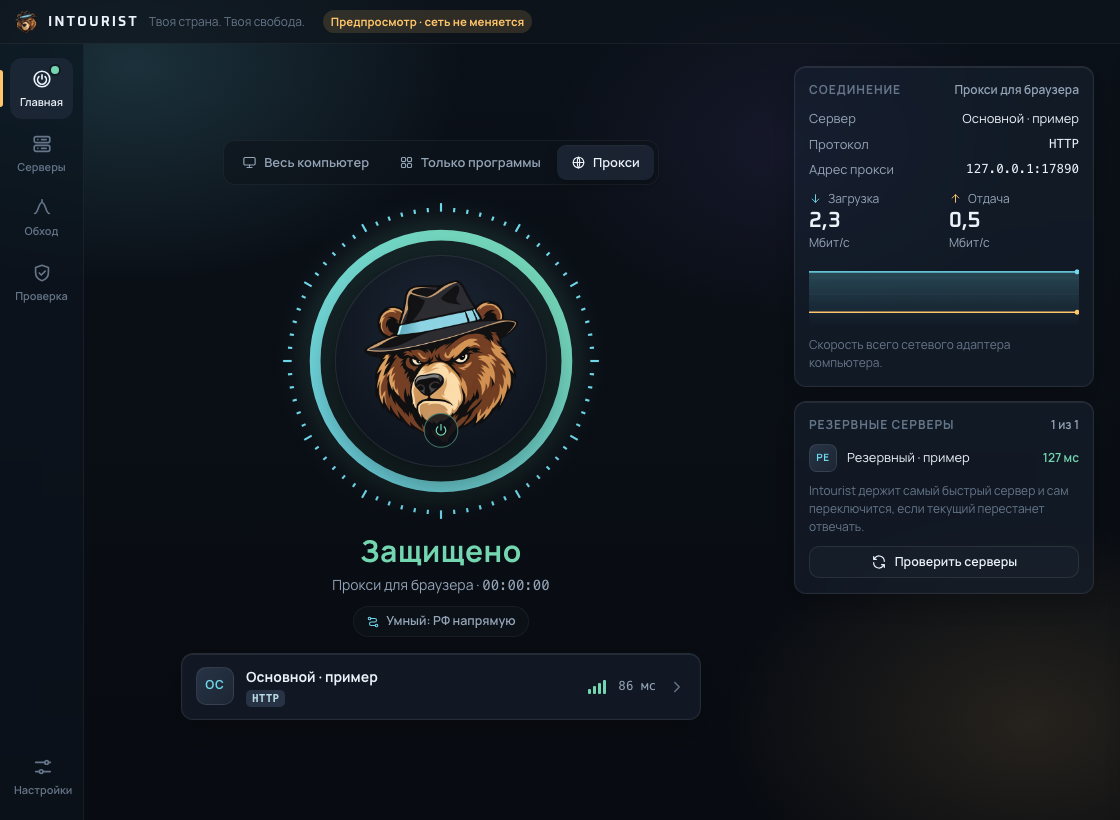
See your active profile, backup and connection scope at a glance. A connected status is only the start.
Add links, subscriptions, QR codes and configuration files. Up to 500 profiles, with subscription servers kept in their own groups.
Route everything through VPN, send Russian sites directly or proxy only blocked destinations. Add your own rules for sites, IPs and apps.
Inspect your network and computer without telemetry. External checks run only when you request them.
Intourist saves the previous settings before making changes and reverses its changes on exit. A recovery error stays visible.
Intourist 4.0.4 is a desktop app with a Russian-language interface. Download the build for your operating system.
Early access. Version 4.0.x still needs network testing; Windows and Intel Mac builds have not been run on those systems. DPI bypass supports Windows and Linux only.
Proxy and VPN modes need a server or a profile from your provider. Intourist is a client; a server subscription is not included. Built-in Tor uses the Tor network.
Intourist looks for an enabled, working profile for new connections. Existing ones may need to reconnect. Without a backup, requests assigned to the proxy fail. Direct access follows routing rules; a failure never enables it.
Coverage depends on your mode and rules: the computer, selected apps or apps using a proxy. Local network traffic stays direct. The optional kill switch works in whole-computer mode, with exceptions for administrator services and, on Windows, apps with allowing firewall rules.
Email hello@arevian.studio and tell us your operating system. The Arevian team will help you get the right build. Access is arranged individually while real-world network scenarios for version 4.0.x are still being tested.
Email us with your operating system. We will find the right Intourist build and help you get started.
Tell us your operating system and what you want to use Intourist for.
We will help you find a version for your computer and get started with installation.
Add your provider’s profile or start with built-in Tor.